Event detected Kill
first_blood.mp3
Early Access Beta · Free for Windows
Get a kill, die, or score a goal, and your favorite sound plays the moment it happens. No hotkeys. No button presses. Killer Vibe is a free Overwolf app for Windows that reacts to supported game events in real time.
01 // How it works
Killer Vibe listens to the game events Overwolf exposes for each supported game. When one fires, it plays a clip you assigned, through the output device you chose.
Kills, deaths, assists, aces, goals, match results. Pick the events you care about in each game, and Killer Vibe reacts the moment Overwolf reports them.
Search 500K+ community sounds through Voicy, import your own MP3 and OGG files, or start from a community preset. Map clips to the events each game supports.
When a supported event fires, Killer Vibe plays one of the clips you assigned, through the output device you selected. No hotkey, no alt-tab, no missed moment.
02 // Trailer
Kills, deaths and goals in Valorant, CS2 and Rocket League, with the sounds that play the moment they happen.
03 // Clips · Powered by Voicy
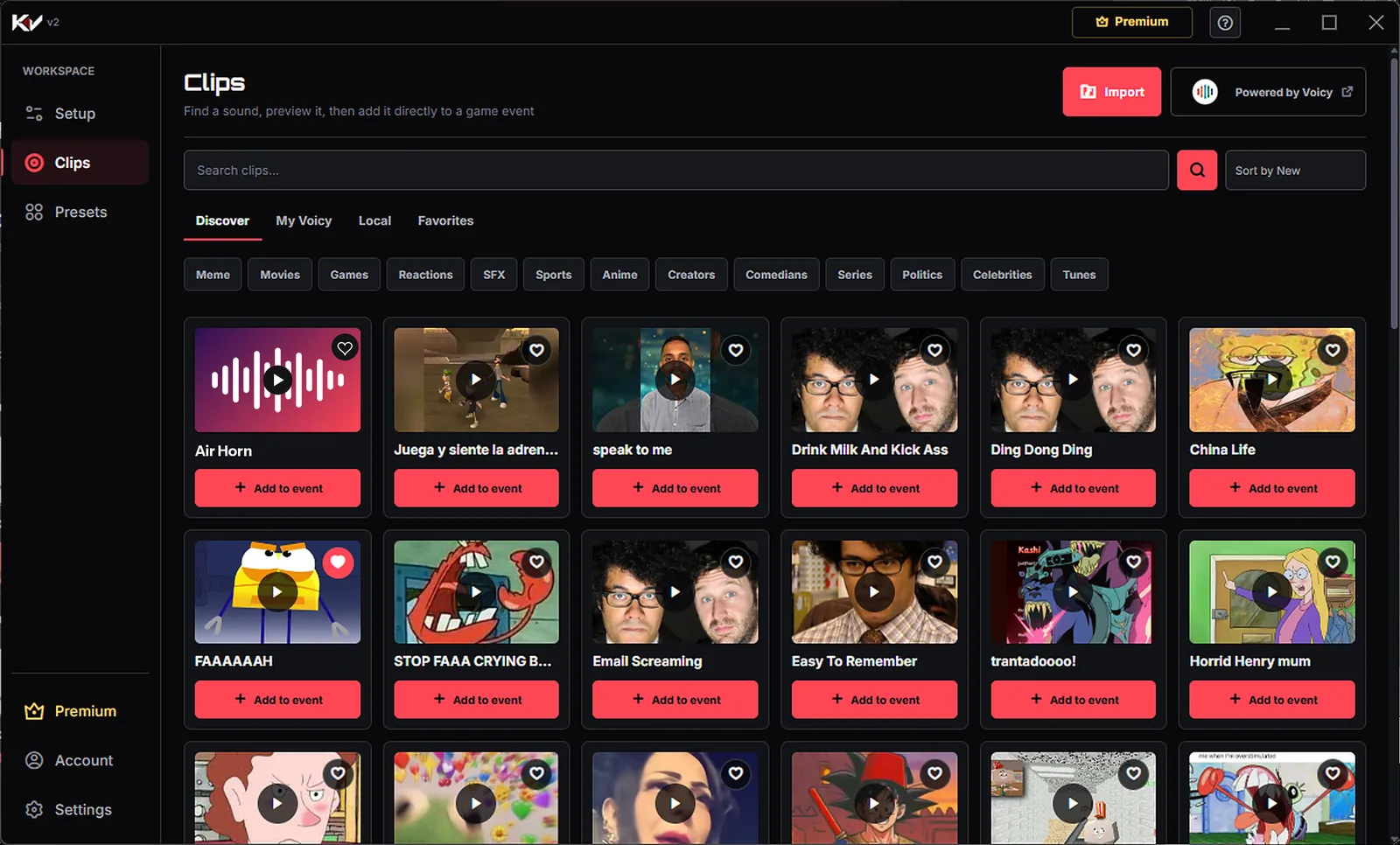
Pick from a massive library in Discover, powered by Voicy: memes, movies, games, anime, sports, sound effects and more. Search for anything, sort by what is new, heart your favorites, and add any clip to an event in one tap.
Your own sounds too. Import MP3 and OGG files into your Local library, or pull in the clips you uploaded to My Voicy. Add local clips
04 // Event rotations
Stack up to five clips on any event and Killer Vibe plays one of them each time, so your hundredth kill still lands. Set the volume of every clip, and keep a different setup for every game you play.
Valorant alone has 16 events to play with, from Kill and Headshot to Ace and Knife Kill.
Read the setup guide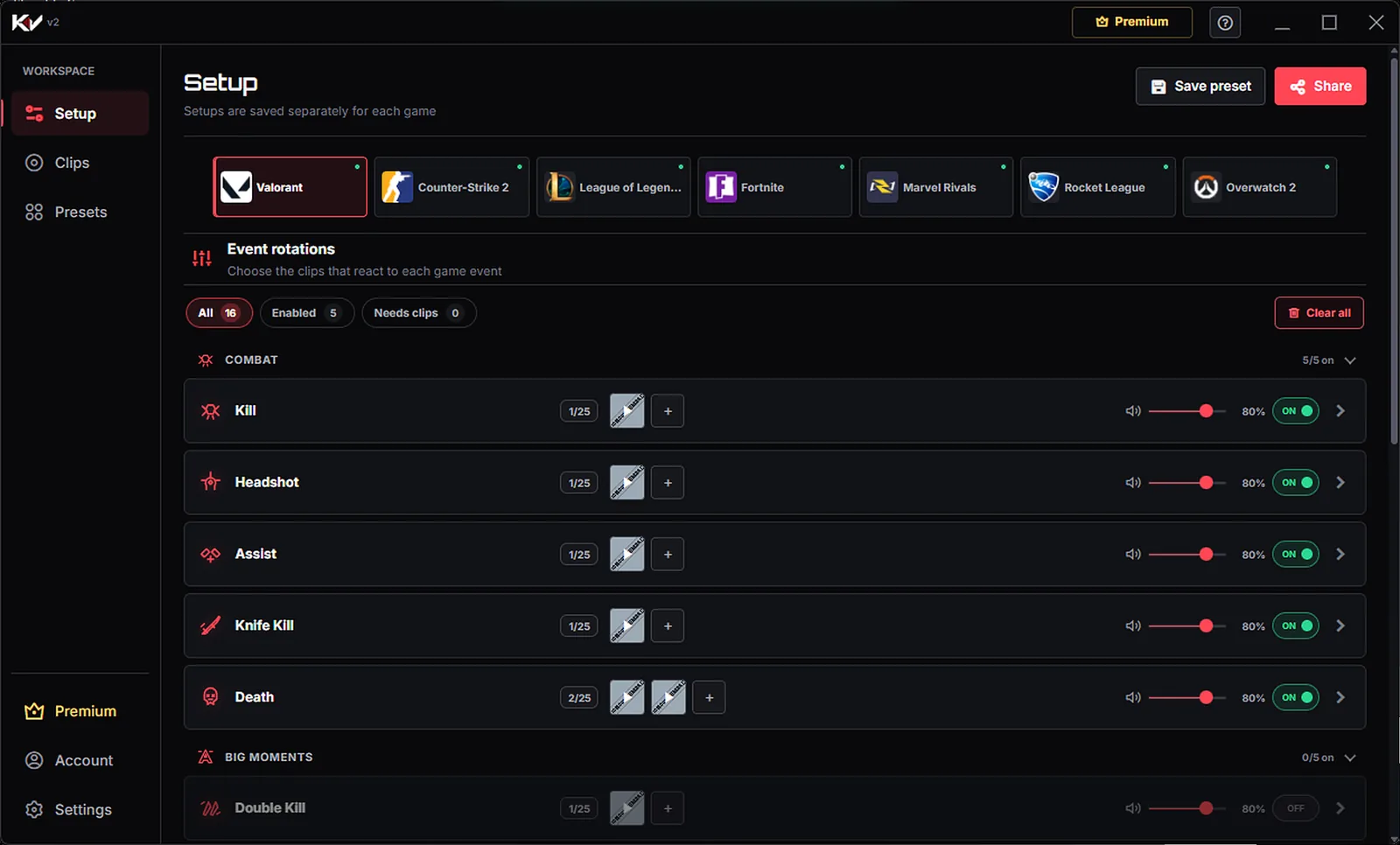
05 // Presets
Turn your whole setup into a preset. Keep it private, save presets from the community, and apply any of them in a single click. Build the sound pack other players install Killer Vibe for.
Browse community configs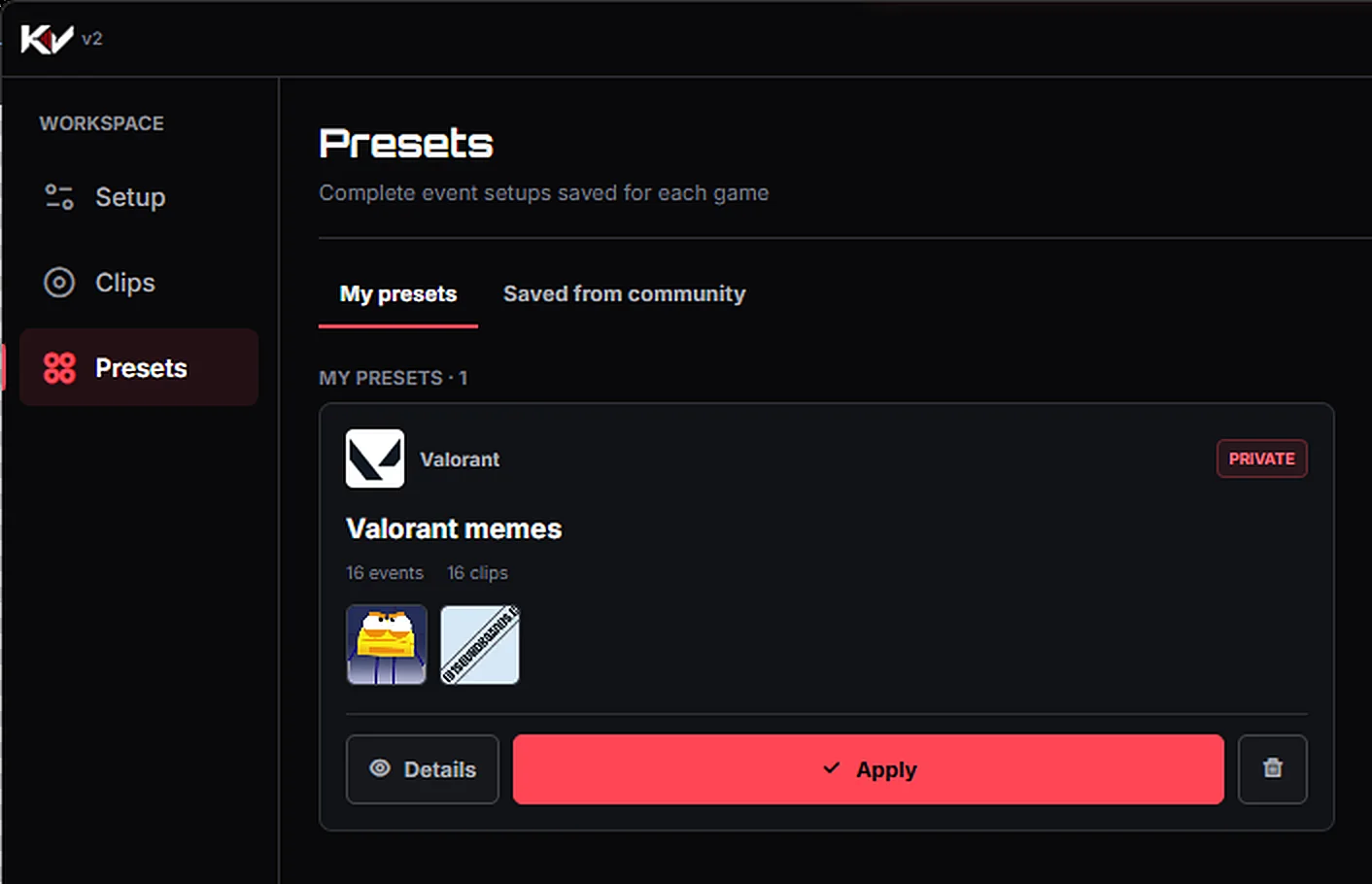
06 // Supported games
Killer Vibe reacts to the events Overwolf exposes for each game. Open a game to see every event you can put a sound on.
 16 eventsValorantKill, Headshot, Ace, Knife Kill, Victory…Valorant soundboard
  12 eventsLeague of LegendsKill, Penta Kill, Ultimate Used, Victory…LoL soundboard
  4 eventsFortniteKill, Death, Match Start, Match EndFortnite soundboard
  7 eventsCounter-Strike 2Kill, Death, Assist, Round Start, Round End…CS2 soundboard
  7 eventsMarvel RivalsKill, Death, Assist, Round Start, Match End…Marvel Rivals soundboard
  13 eventsRocket LeagueGoal Scored, Epic Save, Demolition (Kill), Overtime…Rocket League soundboard
  11 eventsOverwatch 2Elimination, Revive, Respawn, Victory…Overwatch 2 soundboard Compare gamesAll supported gamesSee every event for every game side by side before you install.Supported games
 07 // Made for players
Your hands-free sound producer
Hook clips to game events so you never have to babysit a soundboard mid-fight. If your streaming software captures the same output device, your viewers hear every reaction too.
Build & share your sound packs
Map your own memes or community favorites to in-game events, then share your preset with the world. Be the creator other streamers install Killer Vibe for.
Reactions without hotkeys
Pick clips for the events you care about, then just play. Killer Vibe handles playback when Overwolf reports those events.
Lighter reactions
Put a funny or wholesome clip on your death event, at a volume that works for you. A rough round feels a lot less serious.
08 // Audio routing
Killer Vibe plays through the output device you select in the app. It does not inject clips into your microphone or into Discord and in-game voice chat.
 Step 2Killer Vibe
09 // Get started
Guided setup
Get Killer Vibe free from the Overwolf App Store and launch it through Overwolf. Pick a supported game, choose your output device, and turn on the events you want to hear.
Personalize your reactions
Start from a community preset or build your own: search clips, add your own files, and assign up to 5 sounds per event, from kills and deaths to wins.
Fully automated
Start a supported game. Killer Vibe plays your sounds when the events happen, with no soundboard hotkey to press during the match.
10 // FAQ
Still stuck? Read the full knowledge base or write to contact@killervibe.app.
Full FAQYes. Killer Vibe is free to download and use.
Valorant, League of Legends, Counter-Strike 2, Fortnite, Marvel Rivals, Rocket League and Overwatch 2. Each game has its own list of events. Open a game page to see them all.
No. Killer Vibe reacts to supported game events automatically. Set your sounds once, then play.
Killer Vibe plays through the output device selected in the app. It does not inject clips into your microphone or Discord/game voice chat, so teammates will not hear them automatically.
Yes, when your streaming software captures the same output device Killer Vibe plays through. Our OBS routing guide walks through the setup.
Yes. Import MP3 and OGG files from your PC into your Local library, or upload clips to your Voicy account, link your Voicy username in Killer Vibe and assign them from My Voicy.
Killer Vibe runs as an Overwolf app and uses the game events Overwolf exposes for supported games. Game and platform rules can change, so check the current rules for the game you play and keep both Overwolf and Killer Vibe updated.
Performance depends on your computer, game, and other active overlays. Test Killer Vibe with your normal setup and disable features you do not need if you notice an impact.
Killer Vibe currently requires Windows because it runs on Overwolf.
11 // Guides
A step-by-step setup guide covering installation, event assignment, output selection, testing, and audio limits.
Using Killer VibeImport audio stored on your PC, preview it, assign it to an event, and keep the source file available for reliable playback.
Automatic soundboardsDevice matching, meter checks, recordings, separate tracks, and voice-chat limits for streamers.