
Player hears it
Killer Vibe plays clips through the output device selected in the app.

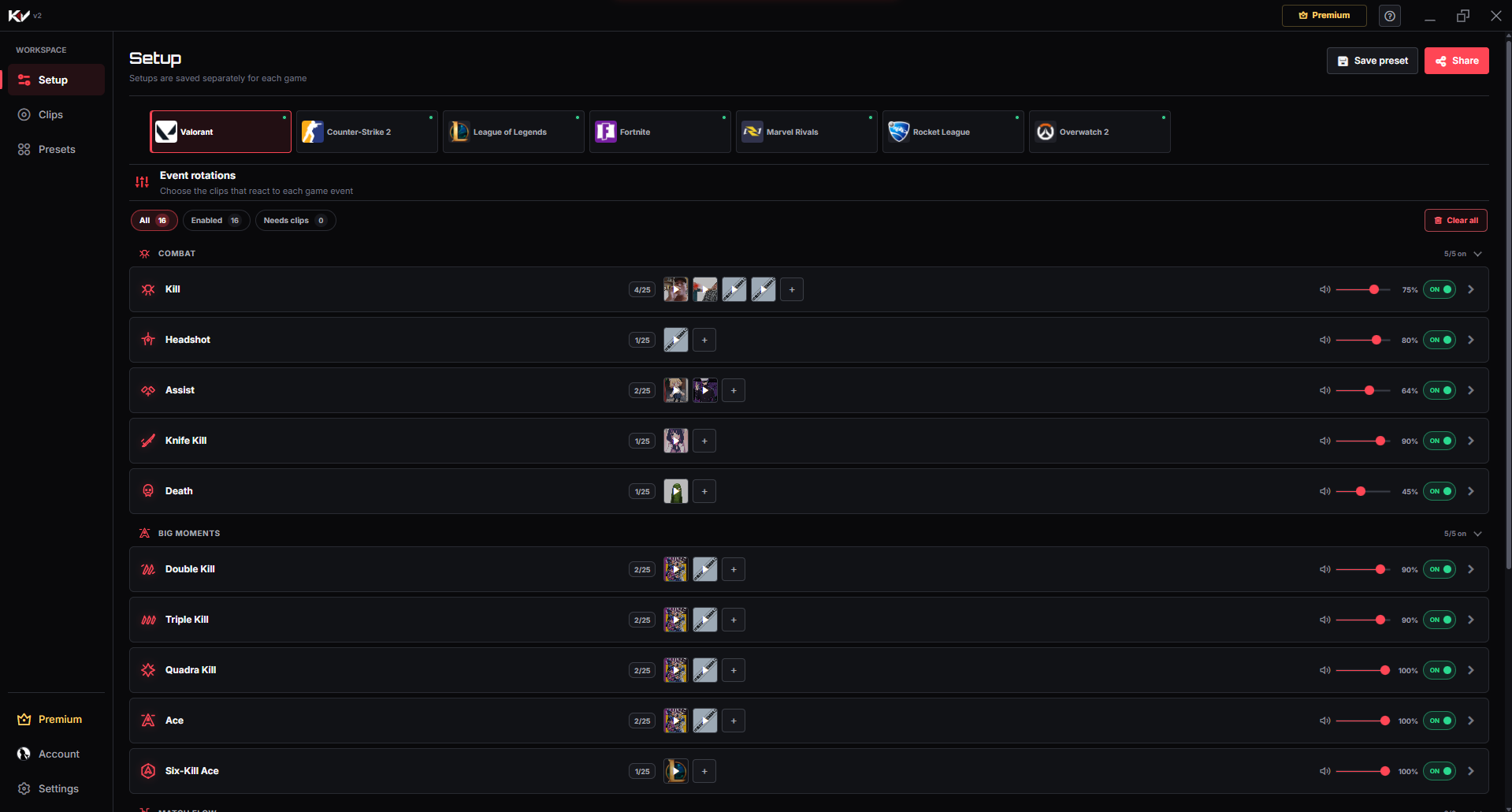
Killer Vibe connects selected sounds to supported Valorant events through Overwolf. Instead of pressing hotkeys during a round, you assign clips to moments like kills, headshots, assists, aces, and match results.
Killer Vibe plays clips through the output device selected in the app.
OBS or other streaming software can hear the clips when it captures that same output path.
The app does not inject sounds into Discord, party chat, or team voice automatically.
These are the event labels currently used by Killer Vibe for Valorant. Assign sounds only to the moments you want, and leave the rest disabled or unassigned.
When you eliminate an enemy.
When a supported headshot kill event is detected.
When you assist in eliminating an enemy.
When a melee elimination is detected.
When your player is eliminated during a supported Valorant match.
When you reach two kills in a round or life.
When you reach three kills in a round or life.
When you reach four kills in a round or life.
When you reach five kills in a round or life streak.
When six kills are reached in a supported round-based mode.
When the Valorant match start event is received.
When your team starts a half on attack.
When your team starts a half on defense.
When your team wins the match.
When your team loses the match.
When the Valorant match reaches its end state.
The setup path is intentionally simple: install through Overwolf, pick the game, map clips, then let supported game events trigger playback.
Install from OverwolfInstall Killer Vibe from the Overwolf App Store and launch the desktop app.
Choose Valorant in the Setup screen and review the available event cards.
Assign clips from search, saved sounds, or your own uploaded audio to the Valorant events you care about.
Launch Valorant. Killer Vibe starts listening when the supported Overwolf event provider is ready.
Yes. Assign a clip to the Valorant Kill event, then Killer Vibe can play it when the supported event is received.
Yes. Game-event support can change when Valorant or Overwolf updates their integrations, so availability may vary over time.
No. Sounds play through your selected output device. A stream can hear them only if the stream captures that output.
Start with supported events, assign clips, and keep the timing out of your hands while you play.