
Rocket League themed arena artwork introducing Killer Vibe automatic reactions for goals, saves, overtime, demolitions, and results.

Rocket League Event Audio

Rocket League Automatic Soundboard

Killer Vibe automatically plays assigned clips for supported Rocket League events, from goals and saves to overtime, demolitions, surrender, victory, and defeat. Its detailed sports-style event set lets you make your own plays, team momentum, and opponent scores sound deliberately different.

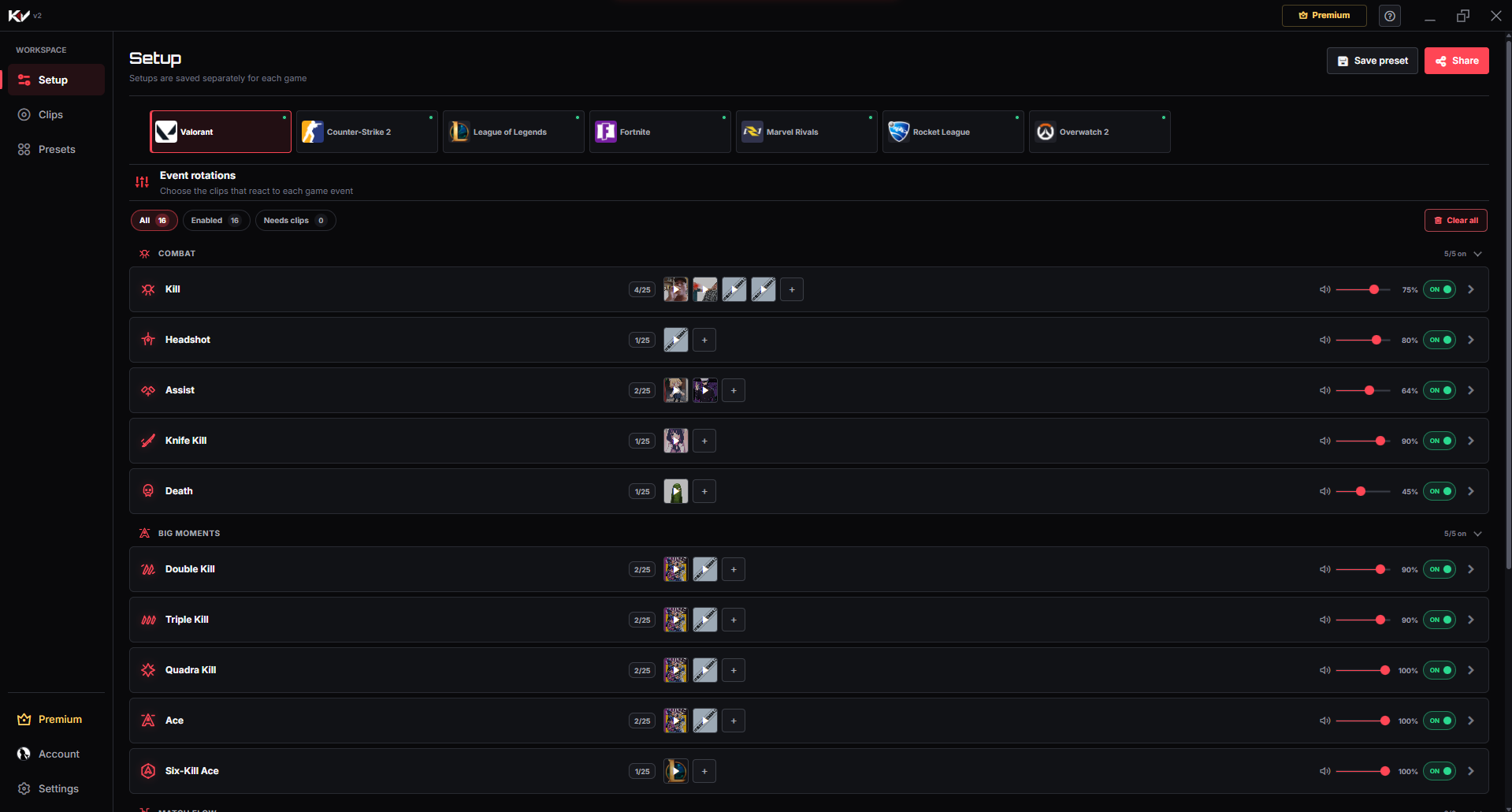
Killer Vibe Setup screen showing supported Valorant events with assigned sound clips and per-event playback controls.
This real screenshot shows the Killer Vibe Valorant Setup screen. In the shared interface, users select a game, assign clips to supported events, enable or disable each event, and choose playback settings and an output device; event cards vary by game, and this Rocket League page lists its exact supported labels below.

Product proof

From match moment to sound reaction

Build a match sound palette around scoring, defense, overtime pressure, demolitions, and results instead of treating every Rocket League event the same.

  1. 01Game event

    A supported moment happens while you play.

  2. 02Killer Vibe

    The assigned reaction is selected automatically.

  3. 03Selected output

    Your clip plays through the output device you chose.

Event catalog

Supported Rocket League event labels

These are the event labels currently used by Killer Vibe for Rocket League. Assign sounds only to the moments you want, and leave the rest disabled or unassigned.

Match Result

Match Start

When a supported Rocket League match begins.

Match End

When a supported Rocket League match reaches its end.

Victory

When your team receives a victory result.

Defeat

When your team receives a defeat result.

Opponent Surrender

When the opposing team surrender event is received.

Goals

Goal Scored

When the personal Goal Scored event is received.

Team Goal

When a Team Goal event is received for your side.

Enemy Goal

When an Enemy Goal event is received for the opposing side.

Saves & Overtime

Save

When a supported standard Save event is received.

Epic Save

When the distinct Epic Save event is received.

Overtime

When the match enters a supported Overtime state.

Demolitions

Demolition (Kill)

When you trigger the Demolition (Kill) event.

Demolition (Died)

When you receive the Demolition (Died) event.

Make each moment recognizable

Rocket League reaction ideas

Start with a few short reactions, test their volume against game audio, and expand only when every sound still has a clear purpose.

Contrast every goal perspective

Give Goal Scored, Team Goal, and Enemy Goal clearly different tones so personal success, team momentum, and setbacks are easy to recognize.

Goal ScoredTeam GoalEnemy Goal

Scale saves by importance

Use a compact cue for Save and a more emphatic clip for Epic Save so defensive highlights receive the right level of payoff.

SaveEpic Save

Overtime tension cue

Assign a restrained build-up sound to Overtime that increases tension while leaving the kickoff and field audio clear.

Overtime

Two-sided demolition reactions

Separate Demolition (Kill) from Demolition (Died) with a payoff cue and a contrasting personal setback reaction.

Demolition (Kill)Demolition (Died)

Get started

Setup flow

The setup path is intentionally simple: install through Overwolf, pick the game, map clips, then let supported game events trigger playback.

DOWNLOAD ON OVERWOLF
  1. 1

    Install Killer Vibe from Overwolf and open the Setup screen.

  2. 2

    Select Rocket League and review the goal, save, overtime, demolition, and result events.

  3. 3

    Assign different clips to the moments you want, especially the three distinct goal labels.

  4. 4

    Launch Rocket League with Killer Vibe running so supported match events can trigger your chosen audio.

Audio routing

Who hears the sound?

Killer Vibe plays Rocket League clips through your selected output device. Other players do not hear them automatically through voice chat, and a stream hears them only when its audio setup captures that output.

  • You hear the selected outputKiller Vibe plays each assigned clip through the output device selected in the app.
  • A stream needs to capture itOBS or other streaming software hears the clip only when it captures that same audio path.
  • Voice chat stays separateKiller Vibe does not automatically inject clips into Discord, party chat, or in-game team voice.

What to know before you install

  • Goal Scored, Team Goal, and Enemy Goal are distinct labels and may represent different scoring perspectives.
  • Save and Epic Save depend on the separate event labels supplied during the match.
  • Killer Vibe output is local playback and is not automatically transmitted to teammates.

FAQ

Rocket League soundboard FAQ

What is the difference between Rocket League goal events?

Goal Scored is the personal goal label, Team Goal covers a score for your side, and Enemy Goal covers a score for the opposing side. You can assign each a different clip.

Can I use different sounds for a Save and an Epic Save?

Yes. Save and Epic Save are separate supported labels, allowing a stronger reaction for the rarer defensive moment.

Does Killer Vibe support Rocket League demolitions?

Yes. Demolition (Kill) and Demolition (Died) are separate supported events, so each side of a demolition can have its own reaction.

Build your Rocket League reactions.

Start with supported events, assign clips, and keep the timing out of your hands while you play.

DOWNLOAD ON OVERWOLF