
Quick answer
Open Clips, choose Import, select an MP3 or OGG file, preview and name it, then confirm the import. The clip appears in your local library and can be added to a supported event. Killer Vibe states that imported local audio is stored only on this PC and is never uploaded.
Before you start
- Use an MP3 or OGG file that plays correctly on the same PC.
- Move the file into a permanent, clearly named folder before importing it.
- Keep the clip short enough for the event and check that it does not start with unwanted silence.
- Use audio you created, licensed, or have permission to use. Importing a file does not clear its rights.
- Choose one supported game event for the first test.
Import and assign a local clip
- Open Clips. In Killer Vibe, switch to the Clips workspace.
- Select Import. The button is labeled for importing MP3 or OGG files from this computer.
- Choose the file. Pick the prepared audio file from its permanent folder.
- Preview and name it. Use the preview button to confirm the audio is valid, then replace the generated name with something you will recognize later.
- Confirm Import. Wait for the local-import success message. If validation fails, try a known-good MP3 or OGG file.
- Open the Local view. Confirm the clip appears in the local library rather than assuming the file was added.
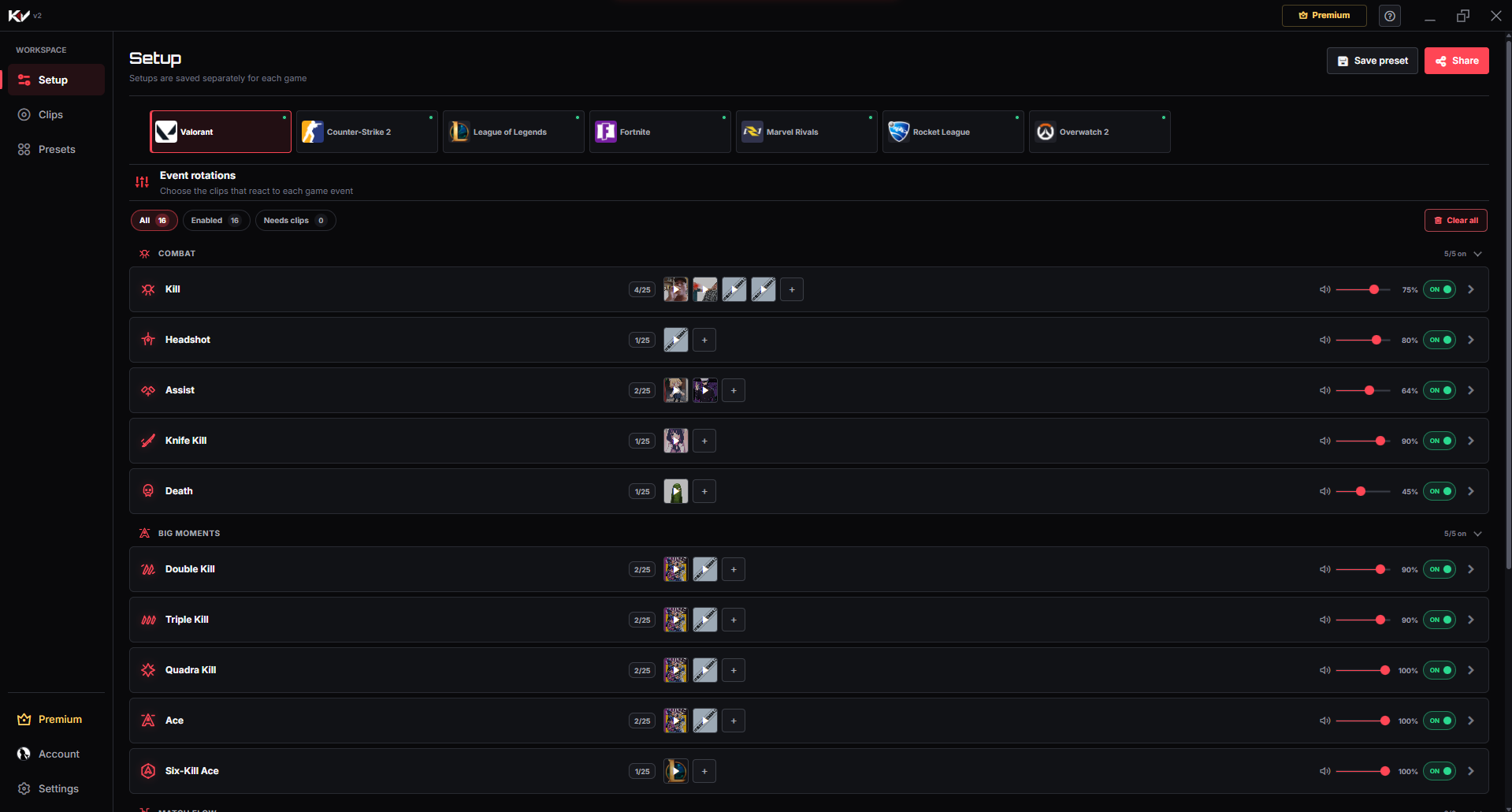
- Add it to an event. Choose the target game and supported event, add the local clip, preview it again, and save the assignment.
- Set output and volume. Select the device you monitor and begin at a conservative volume.
How to verify the local clip works
- Preview the clip from the Local library.
- Reopen the target event and confirm the clip is still assigned.
- Preview it from the event rotation and check the selected output device.
- Trigger the supported event in game and confirm the same clip plays.
- If you stream, make a short recording and confirm the clip appears in the recording—not only in your headphones.
Troubleshooting
The file is rejected: confirm its extension is MP3 or OGG and that another player can open it. Changing a filename extension does not convert the audio.
The clip imports but is silent: preview the source file, check the selected output device, and make sure the clip itself is not mostly silence.
The clip disappeared later: moving, renaming, or deleting the source file can make the assignment unavailable. Restore the file or import it again from its new location.
The event never plays it: confirm the event is supported and enabled, then save the assignment and test another listed event.
The clip is too loud: reduce its event volume and compare it with game audio and voice in a test recording.
Limits to know
- The supported local formats are MP3 and OGG.
- Local audio is stored only on this PC and is never uploaded by the current import workflow.
- Local files are not a cross-device library. Back up the originals yourself.
- Moving, renaming, or deleting source audio can require reimporting it.
- Only events available for the selected game can trigger the clip.
- You are responsible for permission to play, stream, or publish the audio.
Need the full event workflow? Read the Killer Vibe setup guide. For streaming, continue with the OBS audio-routing guide or check the supported game pages.