
Combat
Kill
When you eliminate an opponent in a supported match.
Assist
When you contribute an assist to an elimination.
Death
When your player is eliminated during the match.
Marvel Rivals Event Audio
Killer Vibe automatically plays assigned reaction clips when supported Marvel Rivals events report eliminations, assists, deaths, round transitions, or match transitions. That gives hero-shooter players clear personal reactions without stopping mid-fight to press a soundboard hotkey.
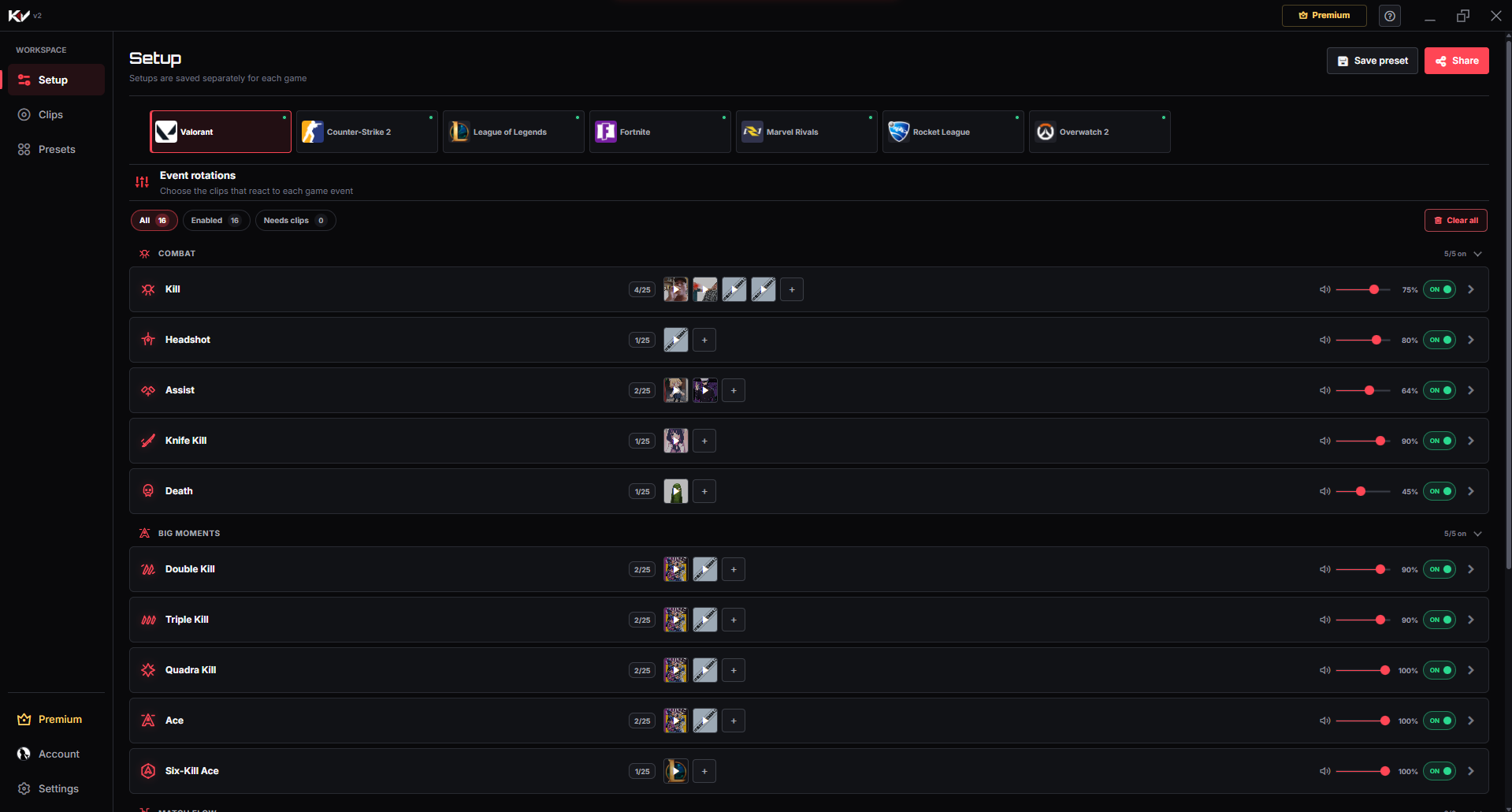
Product proof
Separate combat reactions from round and match transitions so the most important Marvel Rivals moments have a recognizable sound without constant noise.
01Game event
A supported moment happens while you play.
02Killer Vibe
The assigned reaction is selected automatically.
03Selected output
Your clip plays through the output device you chose.
Event catalog
These are the event labels currently used by Killer Vibe for Marvel Rivals. Assign sounds only to the moments you want, and leave the rest disabled or unassigned.
When you eliminate an opponent in a supported match.
When you contribute an assist to an elimination.
When your player is eliminated during the match.
When a supported Marvel Rivals round begins.
When a supported Marvel Rivals round reaches its end.
When a supported Marvel Rivals match begins.
When a supported Marvel Rivals match reaches its end.
Make each moment recognizable
Start with a few short reactions, test their volume against game audio, and expand only when every sound still has a clear purpose.
Use a strong cue for Kill and a lighter response for Assist so your direct eliminations remain distinct during team fights.
Pair Round Start and Round End with short contrasting clips that signal pacing changes without covering team communication.
Assign a closing sound to Match End and an optional opener to Match Start to give the full session clear bookends.
Get started
The setup path is intentionally simple: install through Overwolf, pick the game, map clips, then let supported game events trigger playback.
Install Killer Vibe through Overwolf and open the Setup screen.
Choose Marvel Rivals and review its combat, round-flow, and match-flow events.
Assign your clips to the events you want and set an appropriate volume for each reaction.
Start Marvel Rivals with Killer Vibe running so it can listen for supported events.
Audio routing
Killer Vibe plays Marvel Rivals clips through the output device you select. Teammates do not hear those clips automatically through voice chat, and streams hear them only when that output is captured.
FAQ
Yes. Kill and Assist are separate supported events, so you can assign a different clip to each response.
No ability-specific or ultimate-specific labels are listed for Marvel Rivals. The page covers only the available combat, round, and match events.
Yes, when your streaming setup captures the output device used by Killer Vibe. The clips are not sent automatically into team voice.
Start with supported events, assign clips, and keep the timing out of your hands while you play.
DOWNLOAD ON OVERWOLF