

Killer Vibe is an independent Overwolf app. It is not the official Voicy website or support service. Voicy and Killer Vibe are separate products; this page explains where they connect and where their responsibilities stop.
Voicy provides a searchable platform for short audio clips and soundboards. Killer Vibe can show available Voicy search results inside its own clip workflow, then connect a selected result to a supported gameplay event. Killer Vibe also supports local MP3 and OGG files, so Voicy is a clip source—not the identity or purpose of Killer Vibe.
What Voicy is
Voicy is a separate audio platform for discovering and sharing short clips and themed soundboards. Its website and API organize content supplied through the Voicy service.
Search results can change as Voicy adds, removes, ranks, or moderates content. A result appearing today does not guarantee that the same clip, metadata, or URL will remain available later.
How Killer Vibe uses Voicy search results
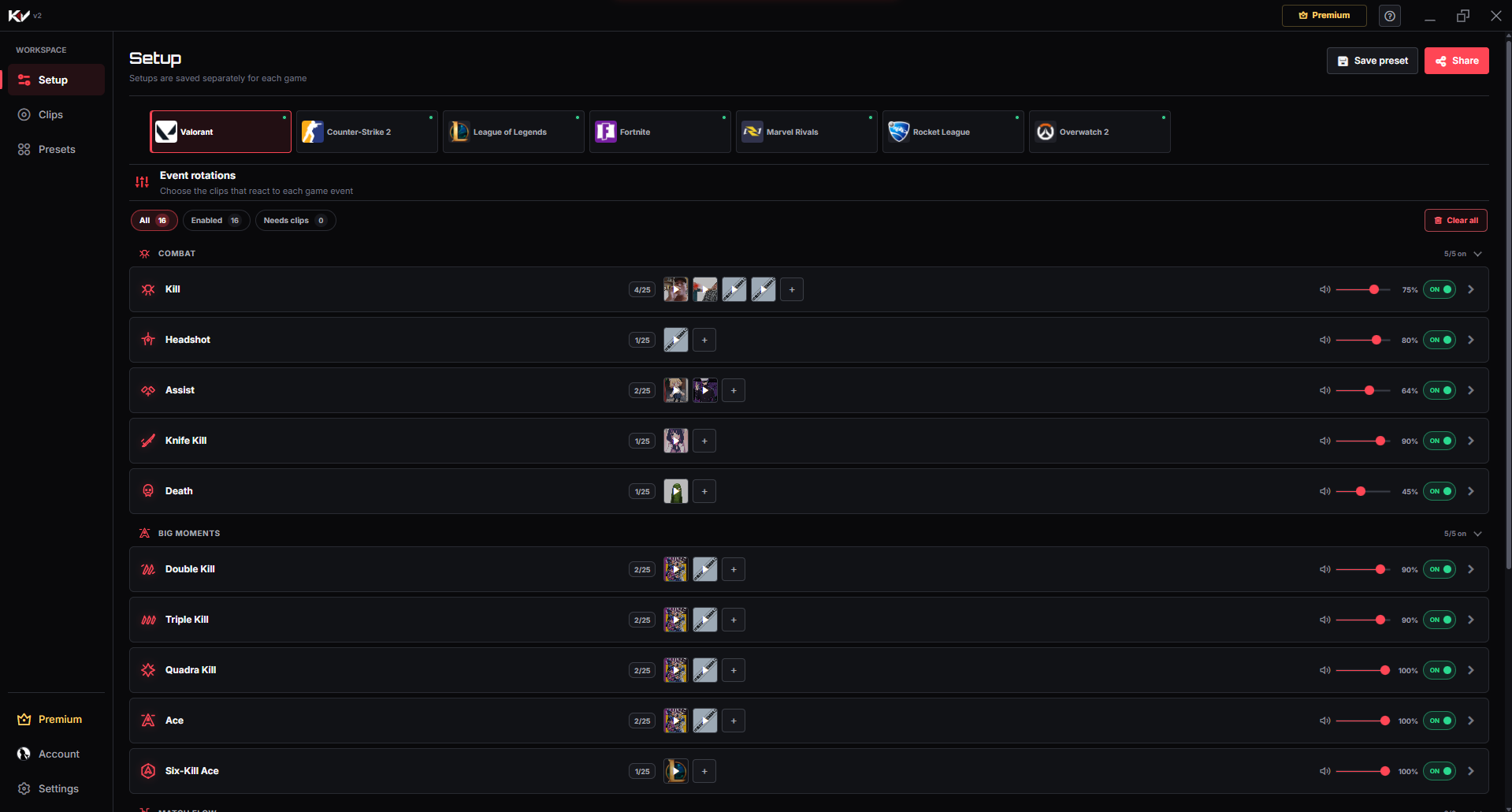
Killer Vibe uses Voicy as one discovery source inside the Killer Vibe app. The useful flow is simple:
- Open Killer Vibe and choose a supported PC game.
- Open an event such as Kill, Death, Match Start, or another label shown for that game.
- Search the available Voicy results or choose a local MP3/OGG clip from your PC.
- Preview the clip before assigning it.
- Choose the output device, set a safe volume, enable the event, and test it in game.
What Killer Vibe does not control
| Area | Controlled by Voicy | Controlled by Killer Vibe |
|---|---|---|
| Catalog | Clip availability, search data, catalog pages, and moderation. | Which available result you preview or assign inside Killer Vibe. |
| Accounts and support | Voicy website accounts and Voicy service questions. | Killer Vibe app behavior, supported events, and Overwolf setup. |
| Game triggers | No control over Killer Vibe’s game-event configuration. | Connects selected clips to supported events received through Overwolf. |
| Audio output | Does not choose the device used by Killer Vibe. | Plays the assigned reaction through the output device selected in Killer Vibe. |
Killer Vibe cannot resolve Voicy login issues, change Voicy catalog decisions, restore a removed Voicy clip, or answer for Voicy’s current website features.
Check a clip before you use it
Finding a community clip does not establish permission to stream, monetize, redistribute, or reuse it. Check the clip’s source, creator information, applicable license, and the rules of the platform where you plan to publish.
- Preview the complete clip and confirm it contains the audio you expect.
- Keep gameplay and voice audio clear by starting at a conservative volume.
- Use original, licensed, or otherwise permitted audio when rights are unclear.
- For a file you already have permission to use, follow the local MP3/OGG import guide.
Where to get official help
Voicy question
For Voicy accounts, catalog content, its website, or its service policies, use the official Voicy contact page.
Killer Vibe question
For supported game events, clip assignment, output routing, or the Overwolf app, use the Killer Vibe FAQ or email contact@killervibe.app.
Continue with Killer Vibe Setup
Killer Vibe’s job is automatic game-event playback—not operating the Voicy website. Use the current Killer Vibe Setup guide to configure your first reaction, or browse the supported game guides for verified event lists and limitations.
Get Killer Vibe on Overwolf